New study
New study on the Studies page creates a study. The page has six sections and a Create study button at the end. Only superusers can create studies.
Before you begin
Add the dataset (Datasets). To group images, or to sample nearest neighbours, embed it with at least one encoder (Encoding).
1 · Dataset
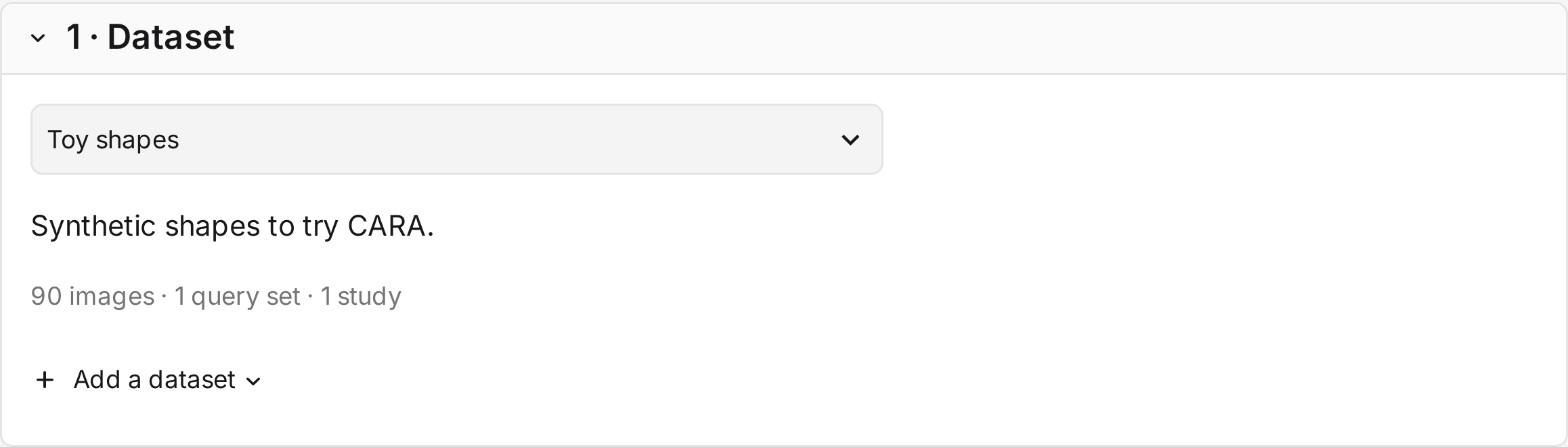
The collection the study judges.
| Field | What it does |
|---|---|
| Dataset default: first by name |
The collection to judge. Its description and size appear below. |
| Add a dataset | Shows the command that adds a dataset. Datasets are added on the command line only. |
2 · Queries
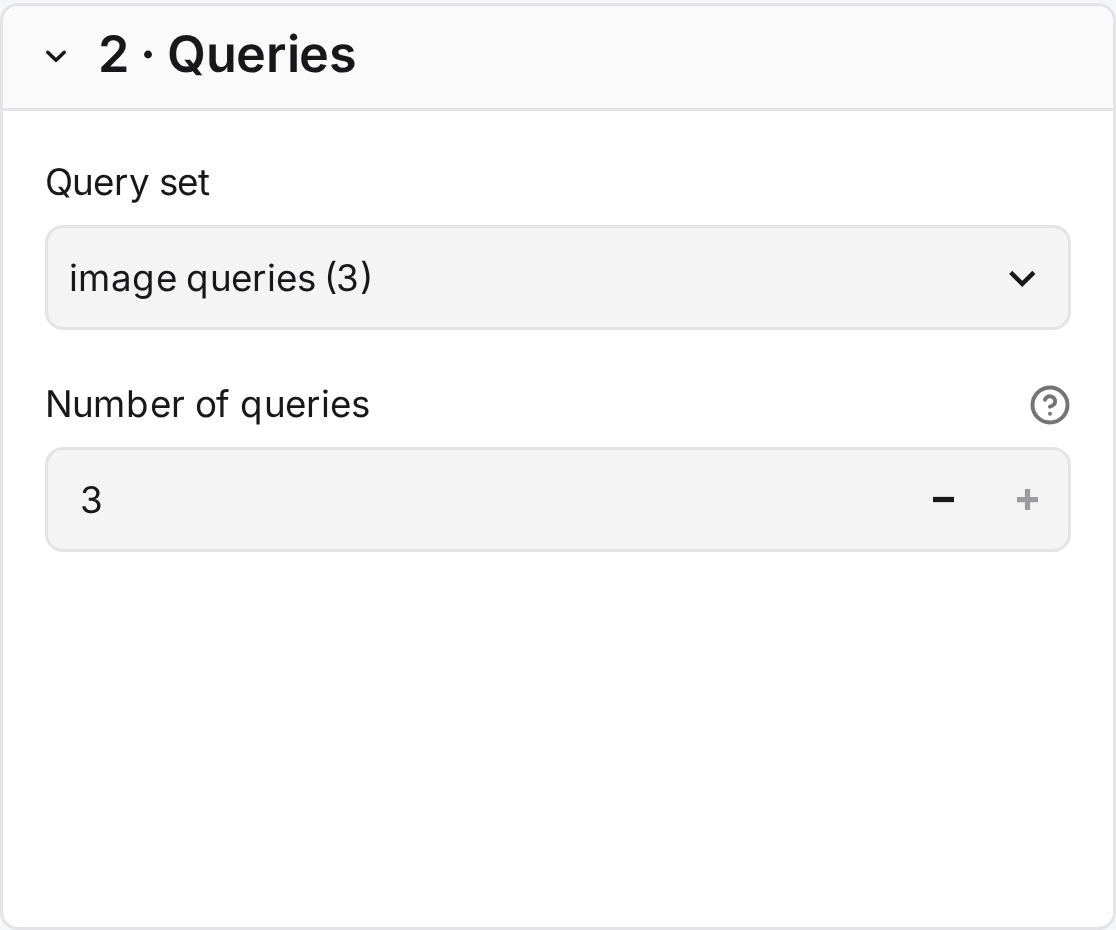
The queries the study judges.
| Field | What it does |
|---|---|
| Query set default: first by name |
The set to judge, shown with its kind and size. |
| Number of queries default: all |
A random sample of the set. Pilot queries are later drawn from this sample. |
3 · Candidate sampling
Judging a whole collection for every query is rarely possible, so each query gets a pool: the candidates sampled from the collection for annotators to judge. Encoding is one way to sample them, not the only one.
| Method | Offered when | Use it for |
|---|---|---|
| Given candidates | The query file lists candidates. | Judging the pools of existing runs. |
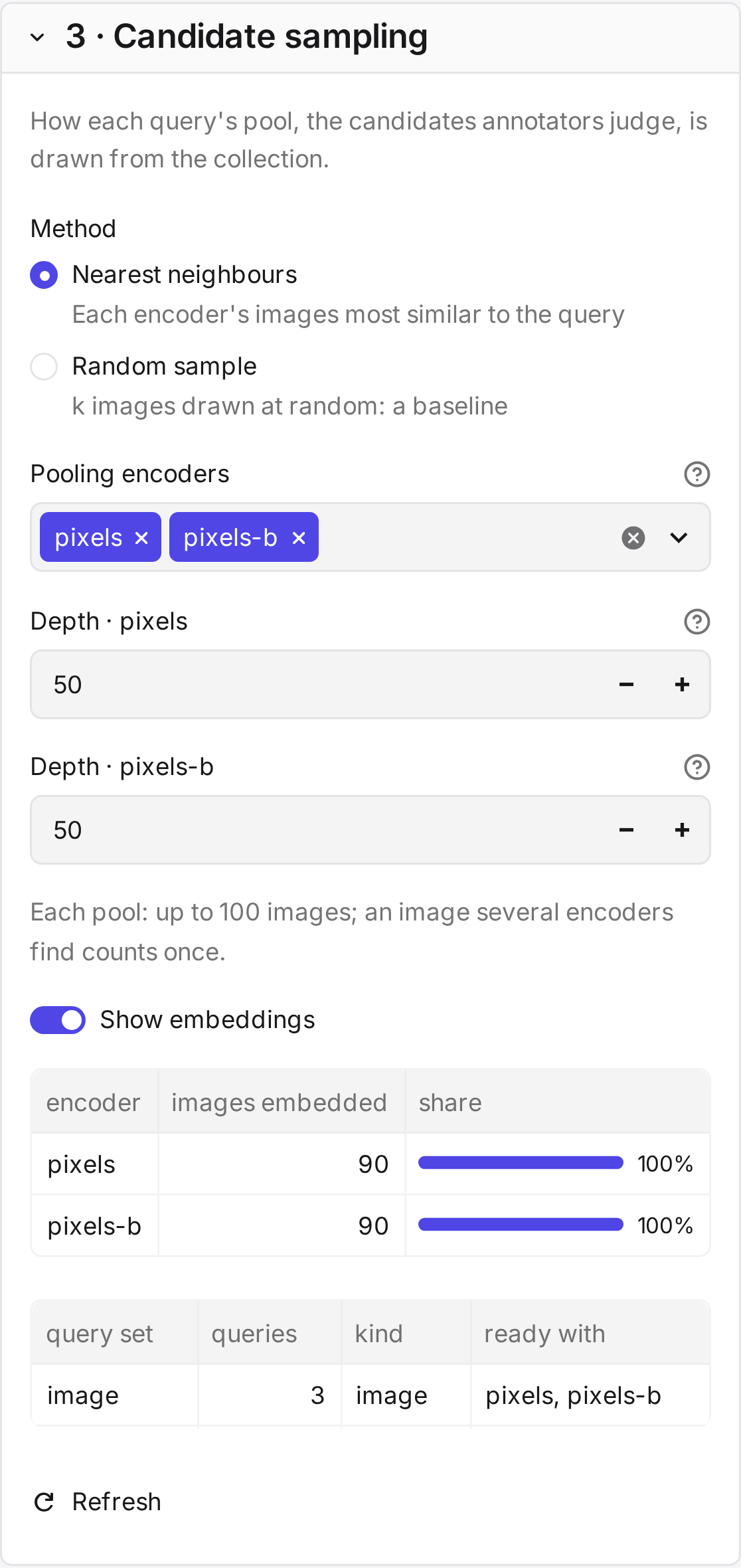
| Nearest neighbours | At least one encoder has embedded the queries. | Building pools from the collection with one or more encoders. |
| Random sample | Always. | A baseline that no encoder shapes. It finds few relevant images unless relevance is common. |
| Field | What it does |
|---|---|
| Images per pool (k) default: 50 |
Random sample only. The number of images drawn per query. |
| Pooling encoders default: the first by name |
Nearest neighbours only. The encoders that add images to each pool. Several encoders keep the pool from favouring one model. |
| Depth default: 50 |
One field per pooling encoder: how many of its nearest images it adds. Images found by several encoders count once, as in TREC pooling. |
| Show embeddings | Shows how many images each encoder has embedded, which query sets each is ready for, and the cara encode command for what is missing. It starts on when embeddings are missing. After running the command (Where to encode), select Refresh. |
CARA has no method yet that samples by metadata or that picks a set representative of the collection. To use such a sample, list it as given candidates in the query file.
4 · Grouping
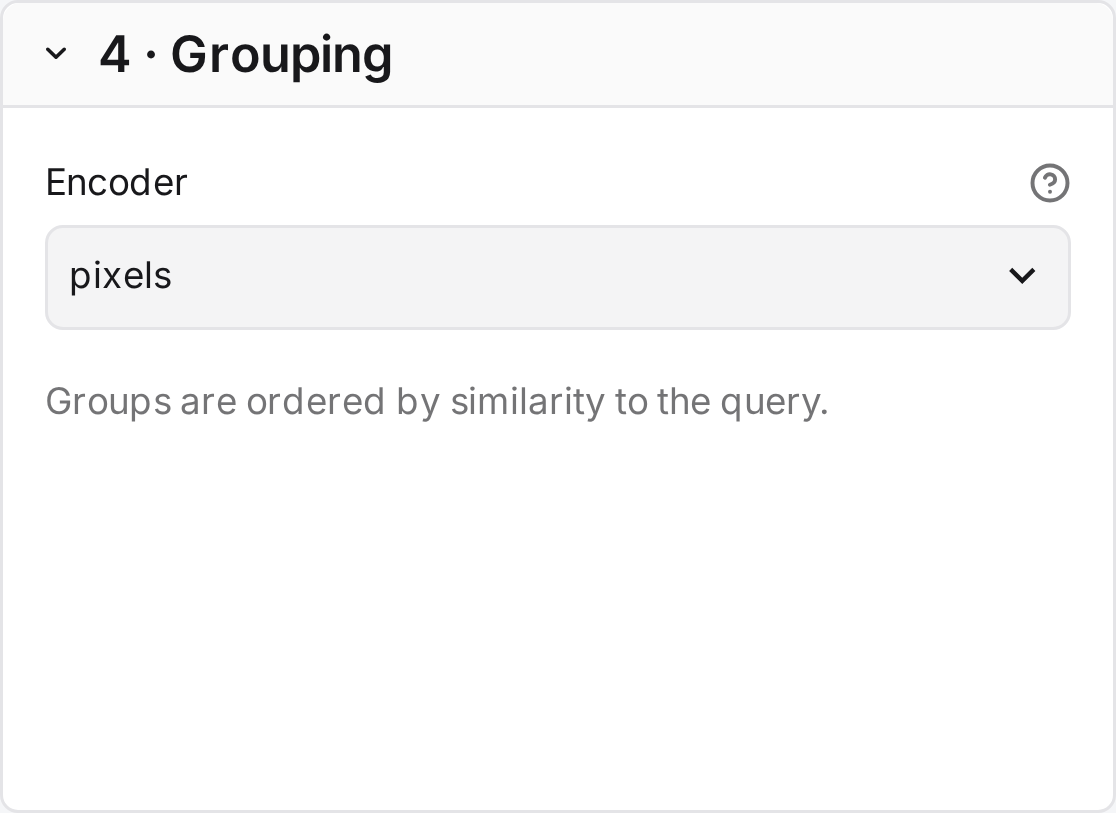
The encoder that groups each pool, whichever method sampled it.
| Field | What it does |
|---|---|
| Encoder default: first by name |
Groups each pool by visual similarity. No encoder shows every image on its own, without groups, Suggest mode or simulation. It is offered with given candidates and random samples. |
5 · Labels
The answers annotators can give.
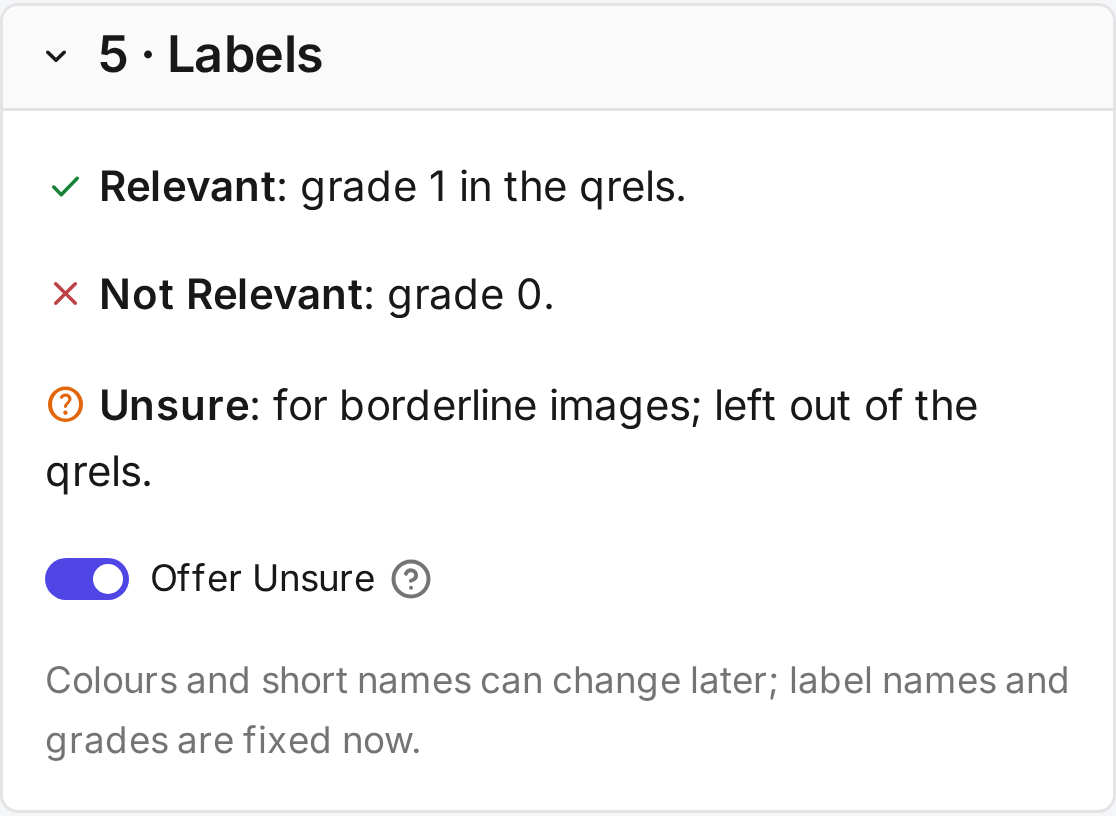
| Field | What it does |
|---|---|
| Relevant | Grade 1 in the qrels. |
| Not Relevant | Grade 0 in the qrels. |
| Unsure | For borderline images. It counts as judged but is left out of the qrels. |
| Offer Unsure default: on |
Whether annotators see Unsure. |
Label names and grades are fixed once the study exists, because judgments refer to them. Colours and short names can change later.
6 · Name and team
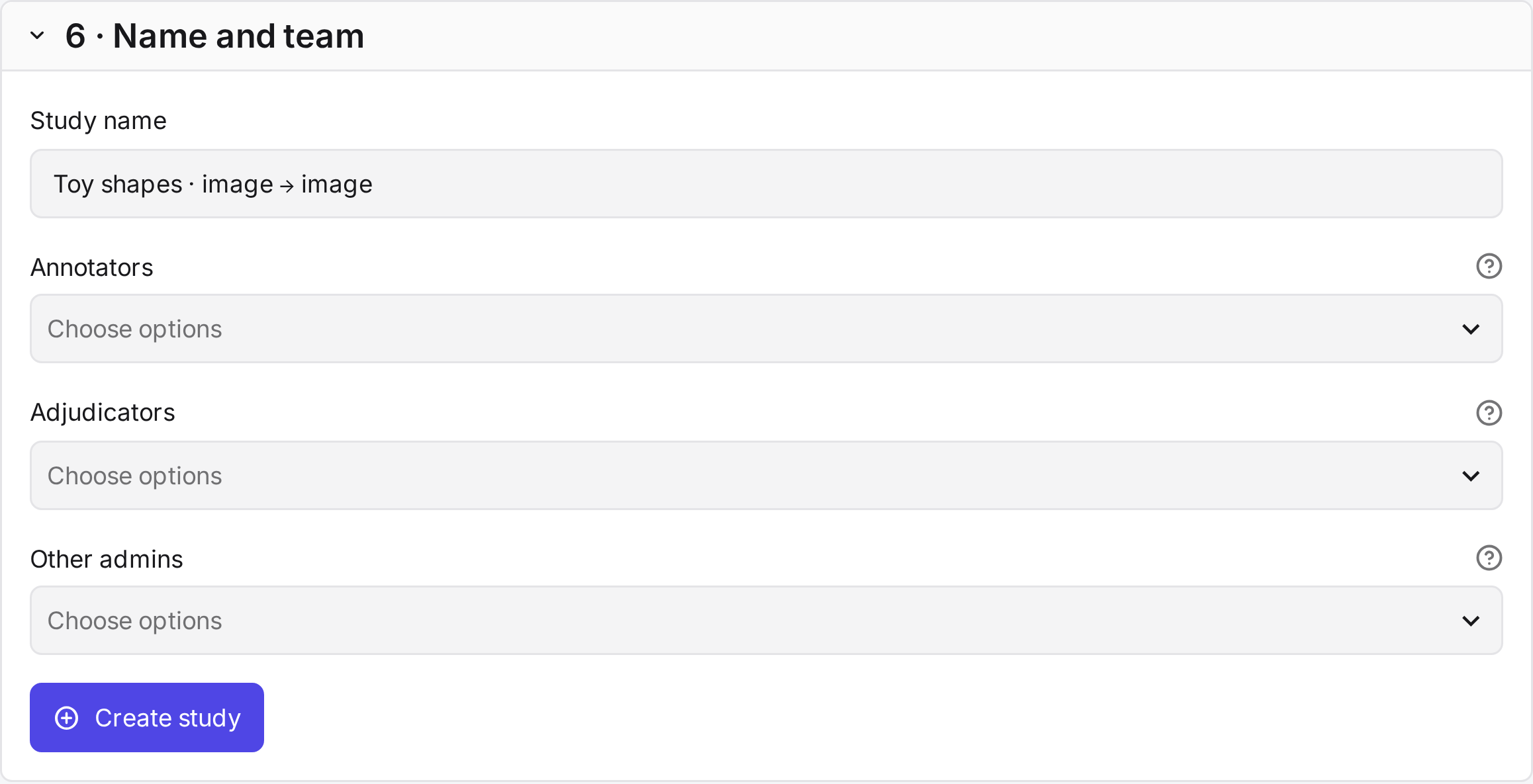
| Field | What it does |
|---|---|
| Study name default: dataset · kind → image |
Shown on the study card and above the tabs. |
| Annotators default: none |
The people who judge. |
| Adjudicators default: none |
Optional. The people who set final labels. |
| Other admins default: none |
People who manage the study with you. |
The roles are explained in the overview. New accounts are created under Study settings in a study's header.
Create study
Create study samples the queries, builds every pool and groups it. Large pools can take a minute. Open the study then leads to the Guidelines tab, the first step.
The study starts with these settings. You can change them in the Annotation tab until the first judgment.
| Setting | Default |
|---|---|
| Grouping | Agglomerative clustering, average linkage, at most 16 images per group. |
| Ungrouped images | Images without a close neighbour in the pool. |
| Group order | Most similar to the query first. |
| Query order | A separate random order for each annotator. |
| Review round | On, not required. |
| Suggest mode | Off. |
| Annotators per query | 1 |
The Simulation compares other groupings. Study settings lists every setting.