Adjudicating
This page is for adjudicators, and for admins who settle disagreements in the Results tab. Where annotators disagree or chose Unsure, you set the final label, which overrides the majority in the study's consensus qrels. Adjudicate on your study card opens the page.
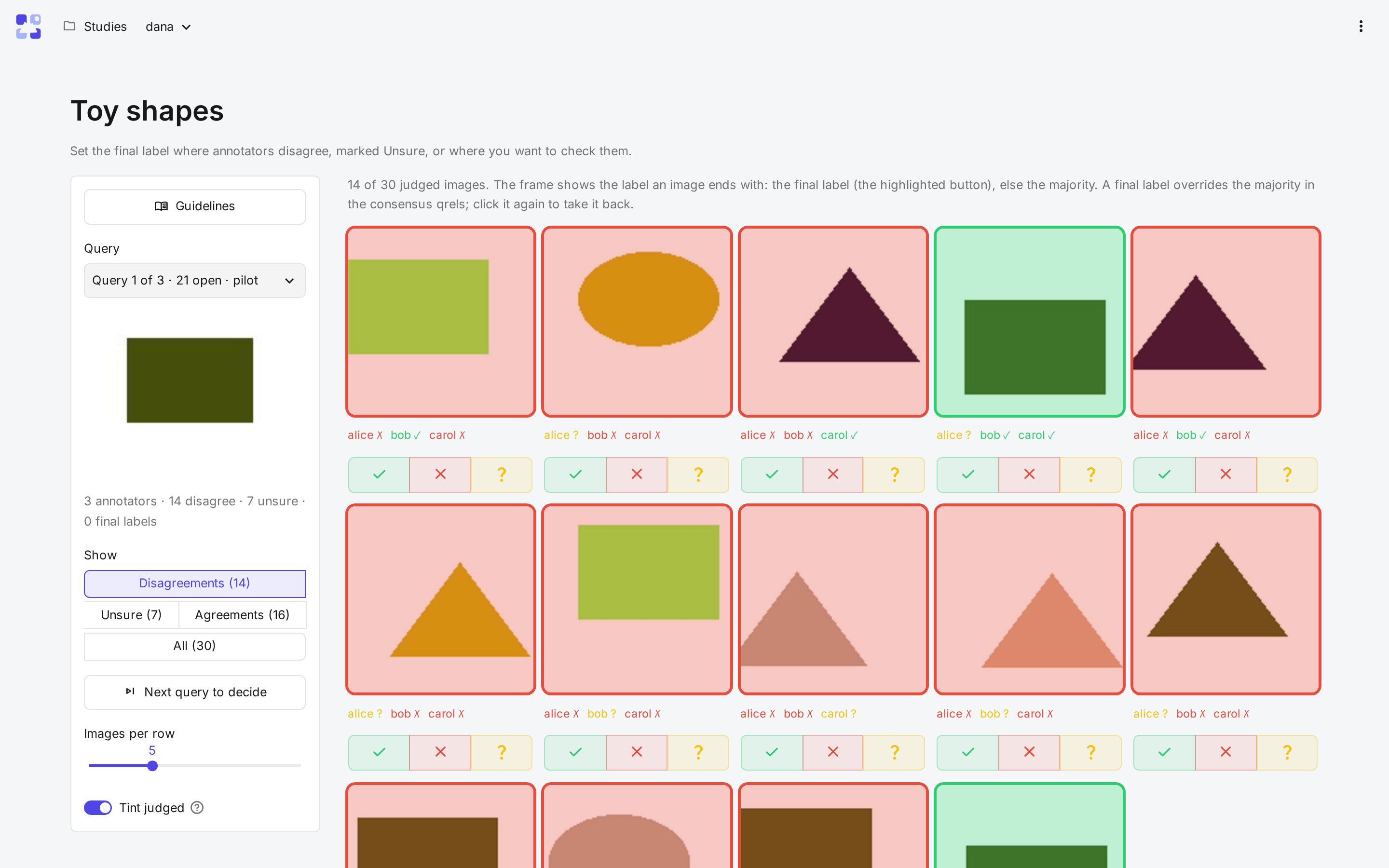
The page is laid out like the judge page: a query on the left, its judged images on the right, each framed in the colour of the label it ends with (the final label, else the majority).
| Control | What it does |
|---|---|
| Show default: Disagreements |
Filters the images: Disagreements, Unsure, Agreements or All. |
| Annotators' labels | Under each image, every annotator's label. |
| Label buttons | Set the final label; a second click takes it back. |
| Next query to decide | Jumps to the next query with disputed or Unsure images left. |
A tie between annotators stays undecided, and its query is left out of the consensus qrels until you set the final label. The guidelines open from the top of the query panel, as for annotators.